
Warning#312: Receive latency exceeded
This article contains troubleshooting informationWarning#312: Receive latency exceeded
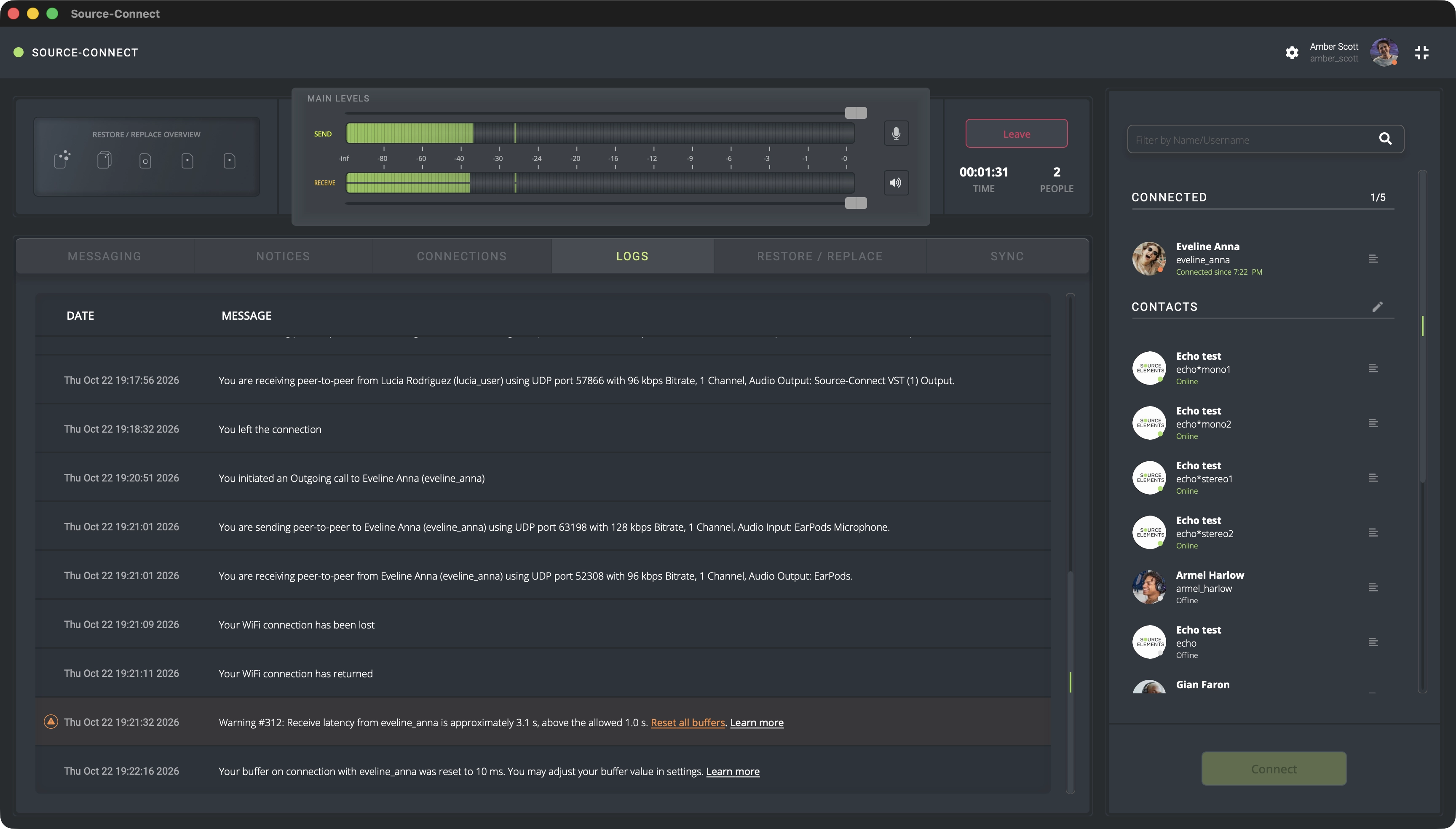
Receive latency from <user> is approximately <X.X> s, above the allowed <Y.Y> s. Reset all buffers.
Learn more
Source-Connect | Version 4 | All Operating Systems
Description
During a call with their connection partner(s), users see the following warning message in the Logs panel:
Causes
A poor internet connection across the path has caused the system to increase its buffer. This increase is not automatically reset. This may be your internet, or the remote connection, or somewhere in between. Even if your individual internet connections seem to be solid, there is an internet issue between the path of those connections.
The audio data from their connection partner has accumulated in the receive buffer due to network pauses, jitter, or reconnections - this latency is not automatically removed.
Actions
In order to resolve this issue, click the "Reset all buffers" next to the displayed warning on the Logs panel. The buffered audio will be dropped. Please note that the incoming audio will cut out briefly as the audio recovers, so do not use this while recording.
If the warning keeps coming back, check your network and the computer load. Read through this article for guidelines and additional networking information.
If you continue to see this error message or you believe you are seeing it unnecessarily, contact our support team.