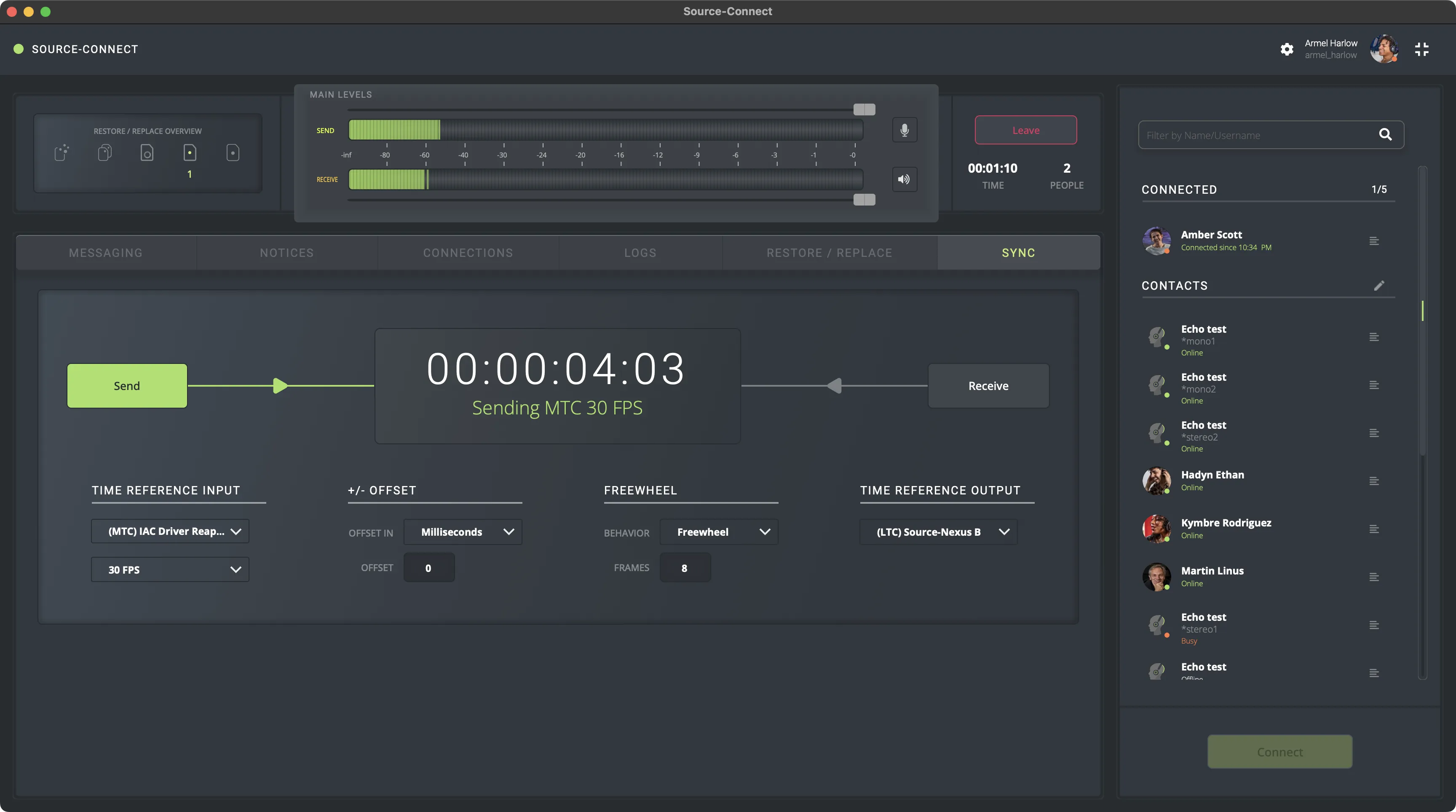
Source-Connect 4 with Reaper and SYNC
This guide shows how to use Reaper with SYNC in Source-Connect 4. SYNC sends timecode between connected users so that audio and video stay aligned during a remote session.
For a detailed walkthrough of sending timecode from Reaper, see Configuring Source-Connect 4 and Reaper to send MTC.
1. Download and install Reaper and Source-Connect
The Reaper software can be downloaded for free here: http://www.reaper.fm/download.php
Make sure Source-Connect 4 is installed and signed in, then launch Reaper and open a new project.
2. Setting up Reaper
You will want to set the frame rate of the session according to your video file.
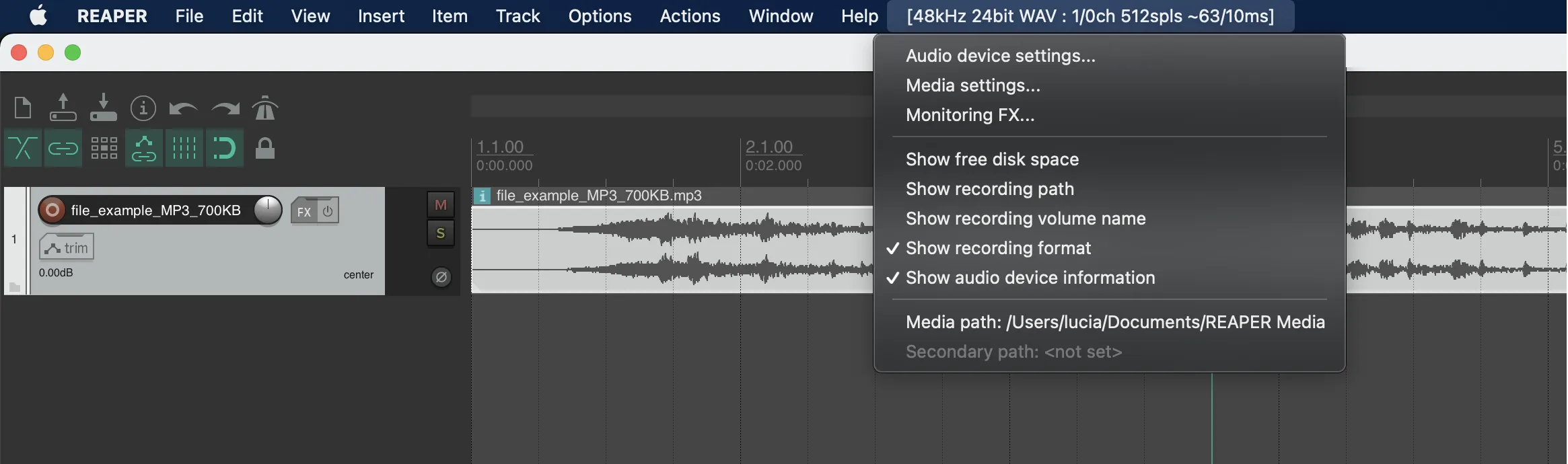
- Navigate to the top menu bar, the item that displays the session's current settings (as shown below).
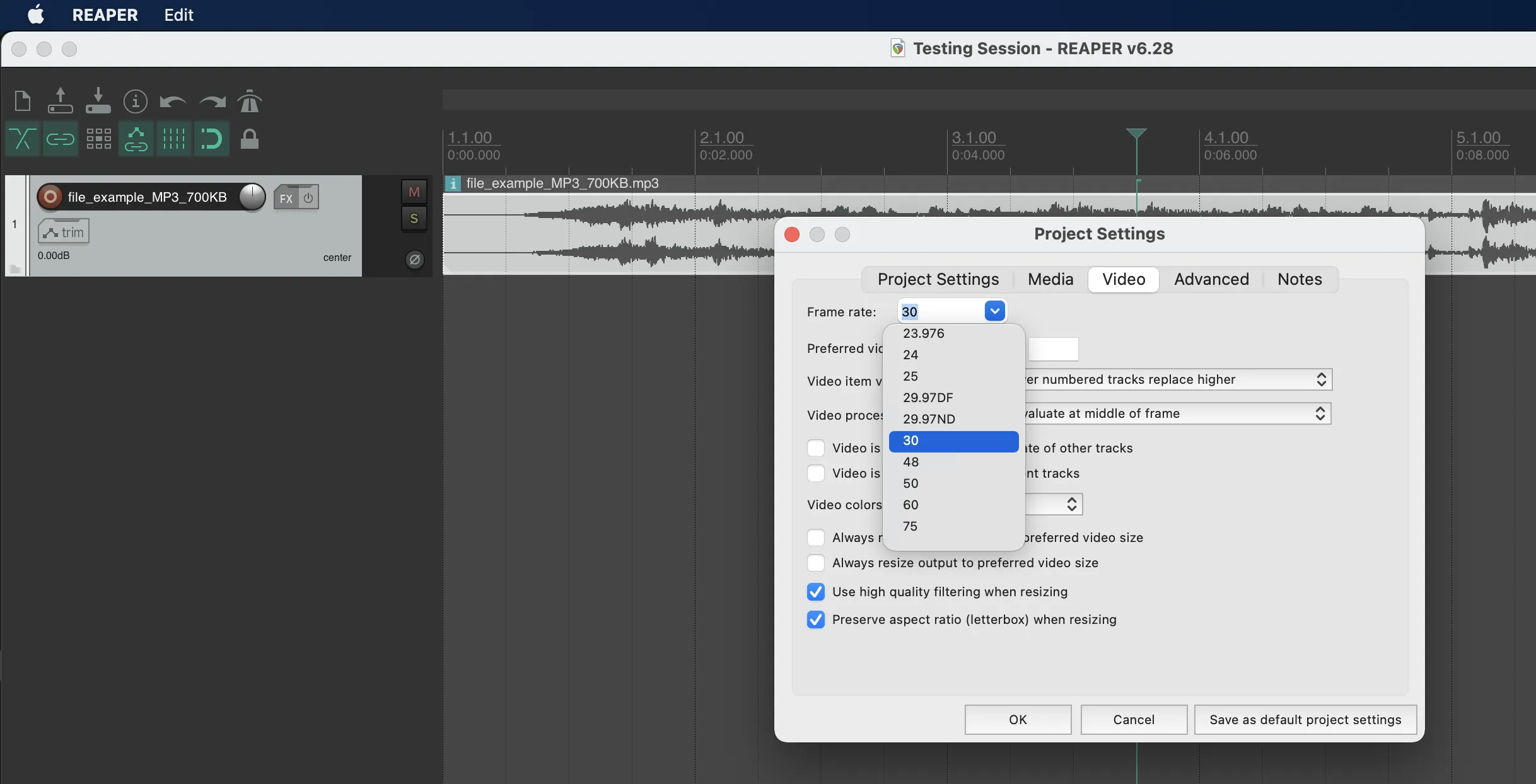
- Go to File > Project Settings > Video and select the frame rate for the session.
- To add the video file, navigate to Track > Insert New Track.
- Then navigate to Insert > Media File, and select the video file for the session. The video will start at 0:00:00 on the timeline if you have not moved the Project Ruler. To locate the video file to a new position, double click on it. This will open a dialog where you can set a new position.
- You may want to switch your main counter to display Timecode by right-clicking on the counter and selecting "Hours:Minutes:Seconds:Frames".
3. Setting up Source-Connect
- Open your Mac's System Preferences > Sound. On the Input tab, select the Built-in Mic.
- On the output tab, select the method of listening, like Line Out (or any other interface you can use
to monitor sound).
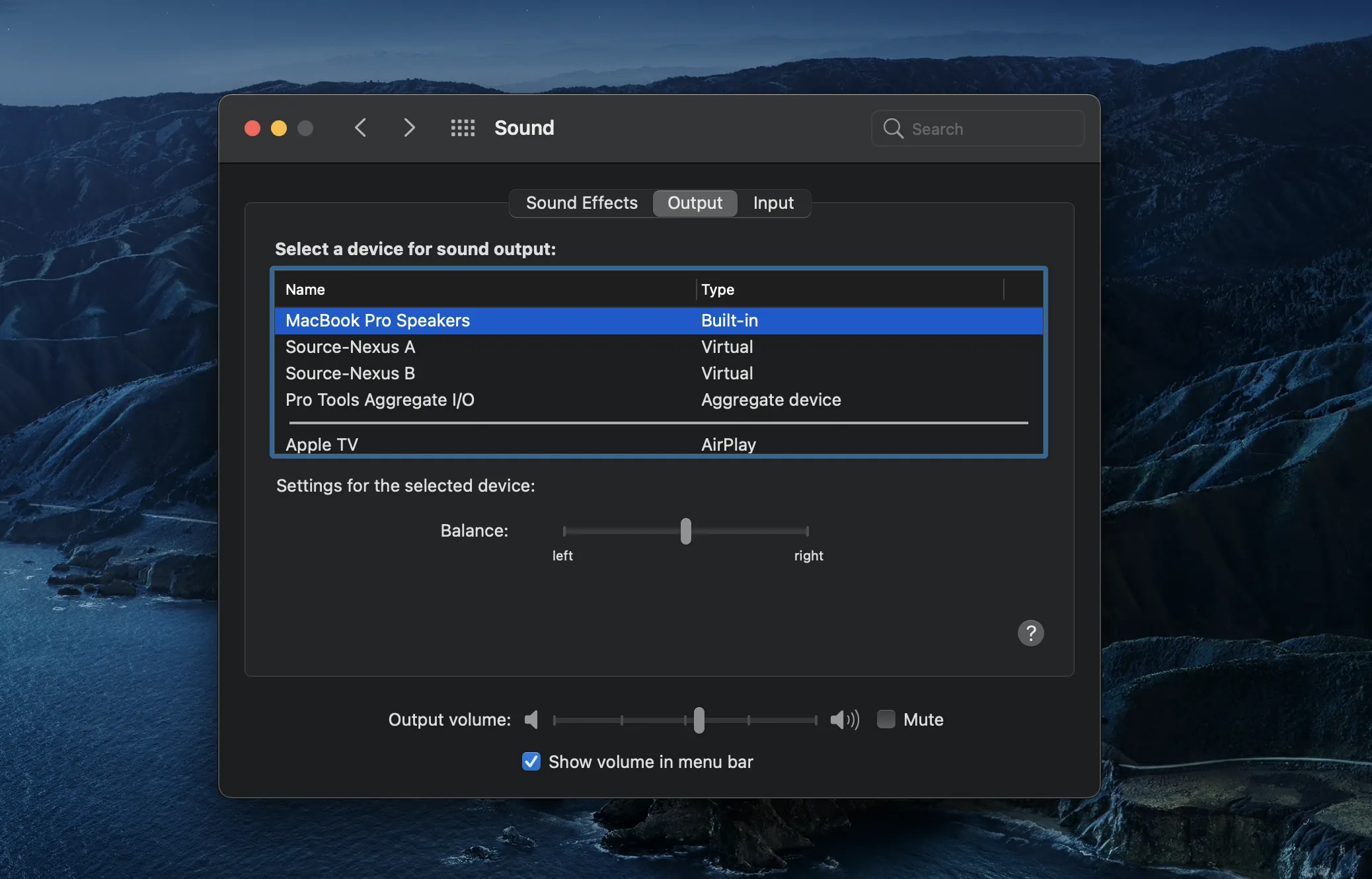
(You can select any available input device to get a mic signal into Source-Connect).
4. Setting up SYNC
Create a MIDI device that Reaper and Source-Connect can share, then configure Reaper to send MTC.
- Follow How to create a MIDI device to share timecode in Source-Connect 4.
- In Source-Connect, open the SYNC tab, choose MTC in TIME REFERENCE INPUT, select your MIDI device, choose the appropriate FPS, then click Send.
- In Reaper, enable the MIDI device and its clock output, set the project start time and frame rate, then add an SMPTE LTC/MTC Timecode Generator set to send MIDI (MTC).
Connect with your partner, then play the timecode in Reaper. Confirm in the SYNC panel that Source-Connect is sending timecode at the selected FPS.