
US EN
ES ES
  • Source Elements logo
  • Centro de Soporte
  • Guías de Inicio
  • Ver Sitio Web
  • Centro de Documentación
  • Guías de Inicio
  • Tienda
  • Prueba Gratis
ES
US EN
ES ES
  • Home
  • Artículos instructivos

Cómo volver a importar complementos VST en Reaper después de una falla

  • Artículos instructivos

    load search results here
if no results found => show contact form

We couldn't find any results for your search. Try using different keywords or check the spelling of your search terms.

Si no pudiste importar ninguno de los complementos Source Elements al instalar Reaper debido a un error, aún puedes instalarlos más tarde de la siguiente manera:

1. En Reaper , vaya a Opciones > Configuración.

2. Vaya a Complementos > VST > Volver a escanear > Complementos que fallaron al escanear y seleccione el complemento que falló.
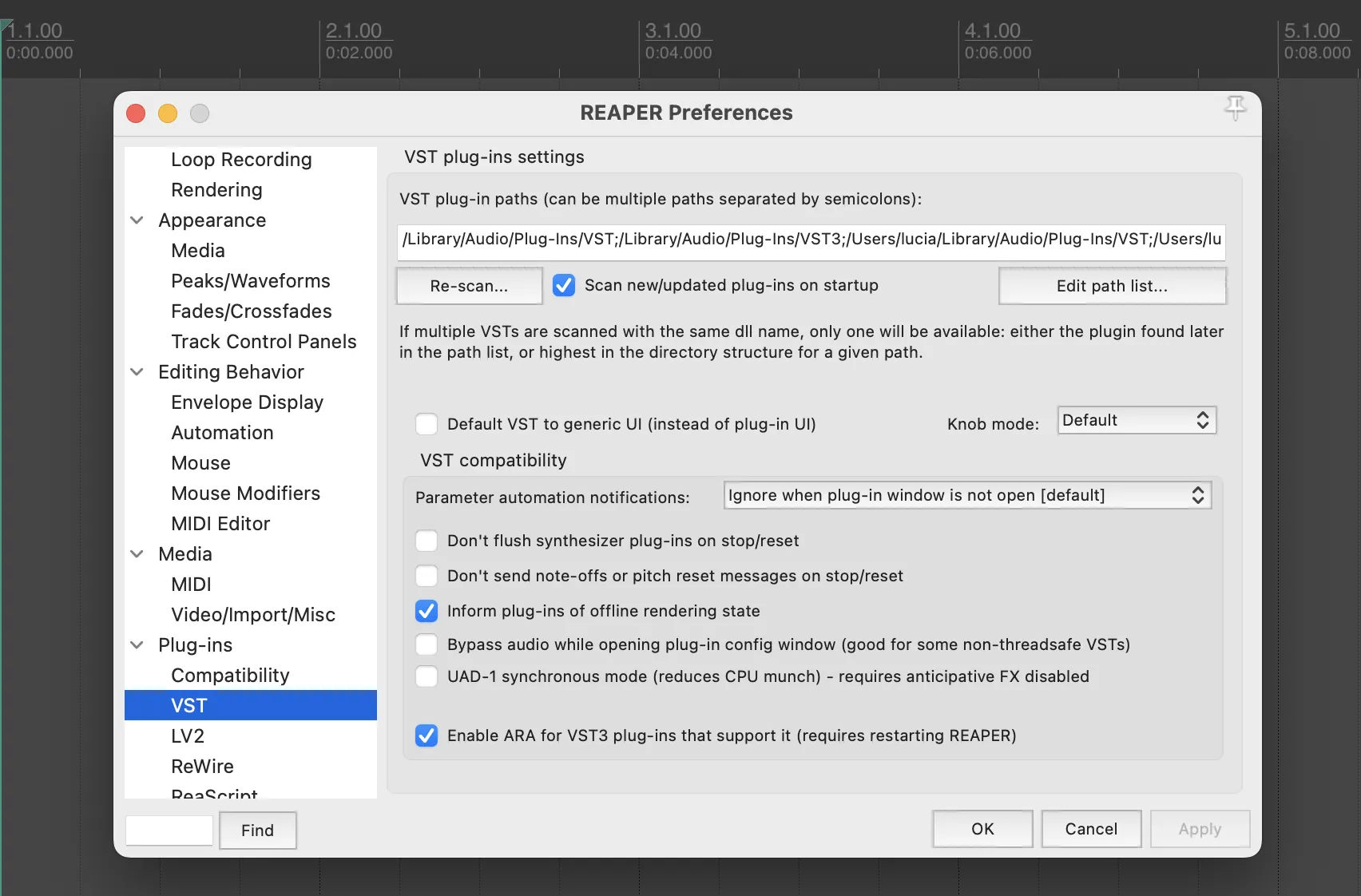
Reaper_RescanPlugins
Expand