
US EN
ES ES
  • Source Elements logo
  • Centro de Soporte
  • Guías de Inicio
  • Ver Sitio Web
  • Centro de Documentación
  • Guías de Inicio
  • Tienda
  • Prueba Gratis
ES
US EN
ES ES
  • Home
  • Artículos instructivos

Cómo solucionar el retraso al usar Source-Connect + Logic Pro X

  • Artículos instructivos

    load search results here
if no results found => show contact form

We couldn't find any results for your search. Try using different keywords or check the spelling of your search terms.

This article contains information about Source-Connect and a DAW
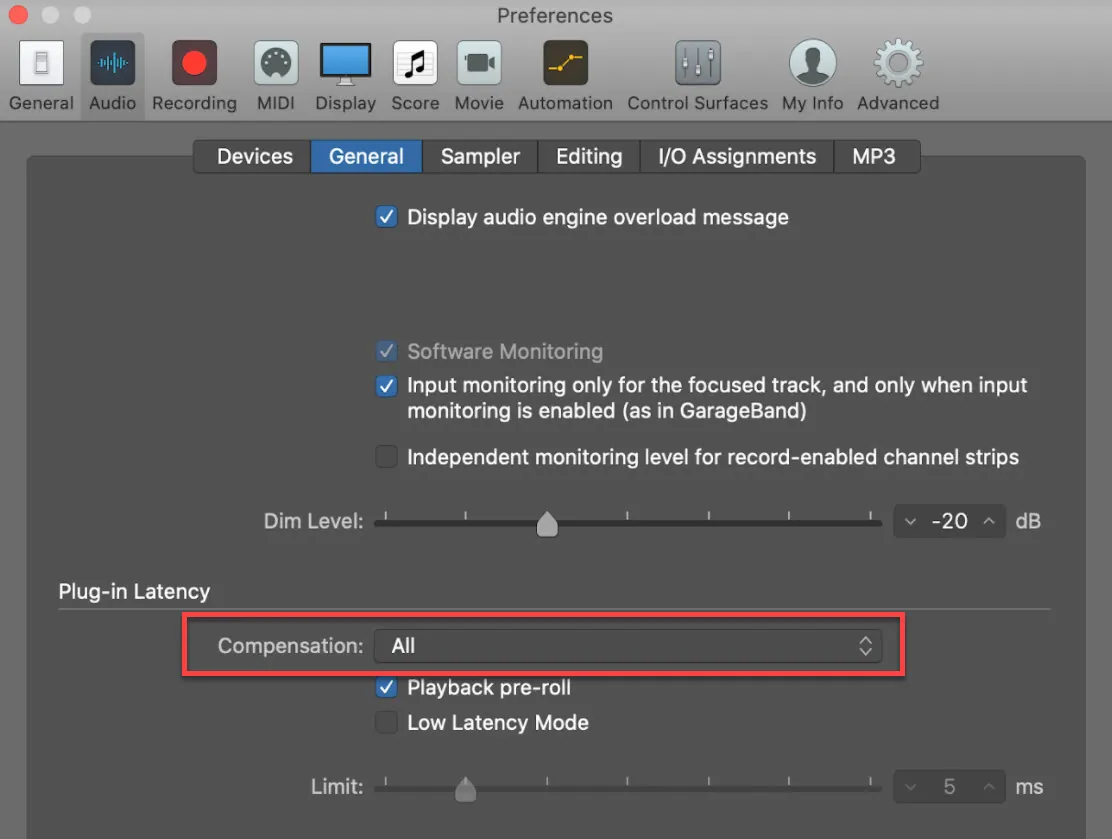
  1. Primero, abre En Logic Pro X. Luego, ve a Preferencias > Audio > General y navega hasta la sección Compensación. Logic_16011456942020-09-26_15-39-45
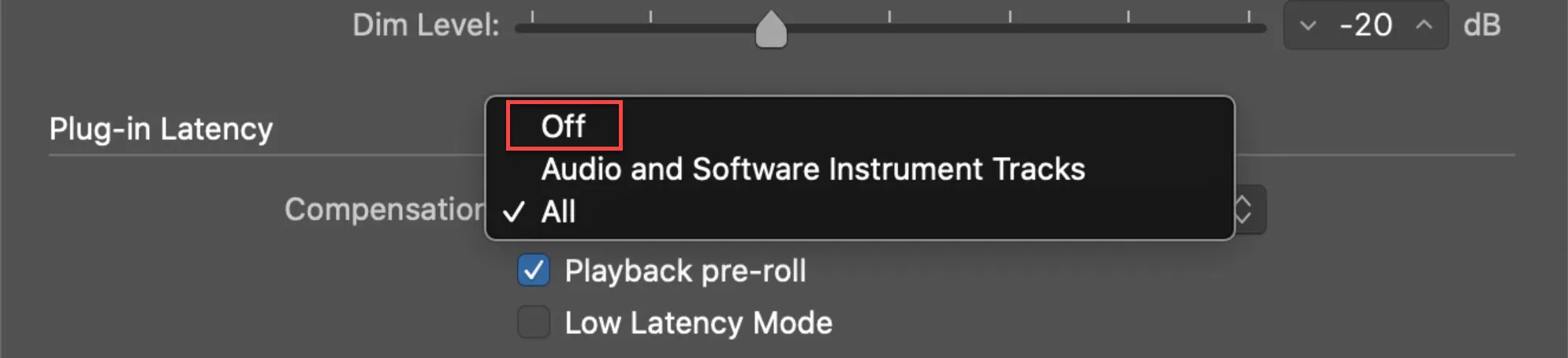
  2. Establezca "Compensación" en "Desactivado". Logic_16011457192020-09-26_15-40-38
Expand