
Source-Nexus Mute-On UI in other plugins
As of version 1.5.4, the Source-Nexus I/O, Source-Nexus Review and Source-Nexus Router components all have the Source-Nexus Mute-On button replacing all or most mute buttons on the UI.
- The Source-Nexus I/O plugin and Source-Nexus Router plugins has both the send and the receive mute buttons with Mute-On functionality. You can read more about them in the links above.
- The Source-Nexus Review plugin has Mute-On buttons on every channel except the "To Nexus Chat" - some of the buttons have different options. You can read more about it in the link above.
Color Indicators
The new buttons in the applications and plugins have color coding to help you understand whether or not Mute-On functionalities have been enabled and what state they are currently in:
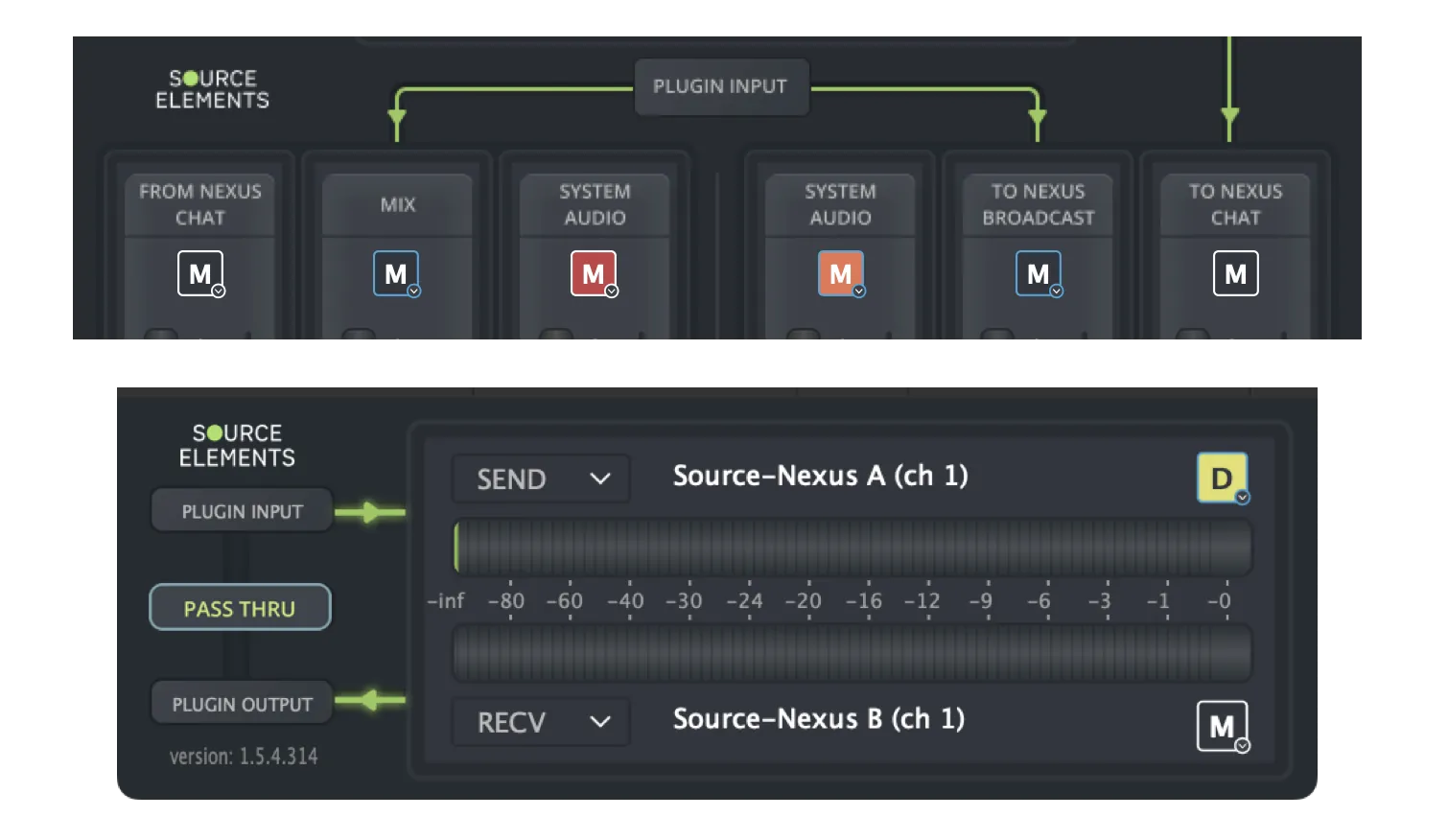
- White borders mean that no options have been enabled.
- Blue borders mean that an option has been enabled.
- A Gray background means that it is unmuted.
- A Red background means it has been manually muted, which will override any options.
- An Orange background means it been automatically muted, either from a playback state or by keyboard/MIDI control.
- An Yellow "D" indicator means it is dimmed.