
The Source-Nexus Mute-On Broadcaster
As of version 1.5.4, the Source-Nexus Mute-On plugin can also broadcast the playback state of the DAW, allowing any instance of the Source-Nexus Mute-On button to follow it.
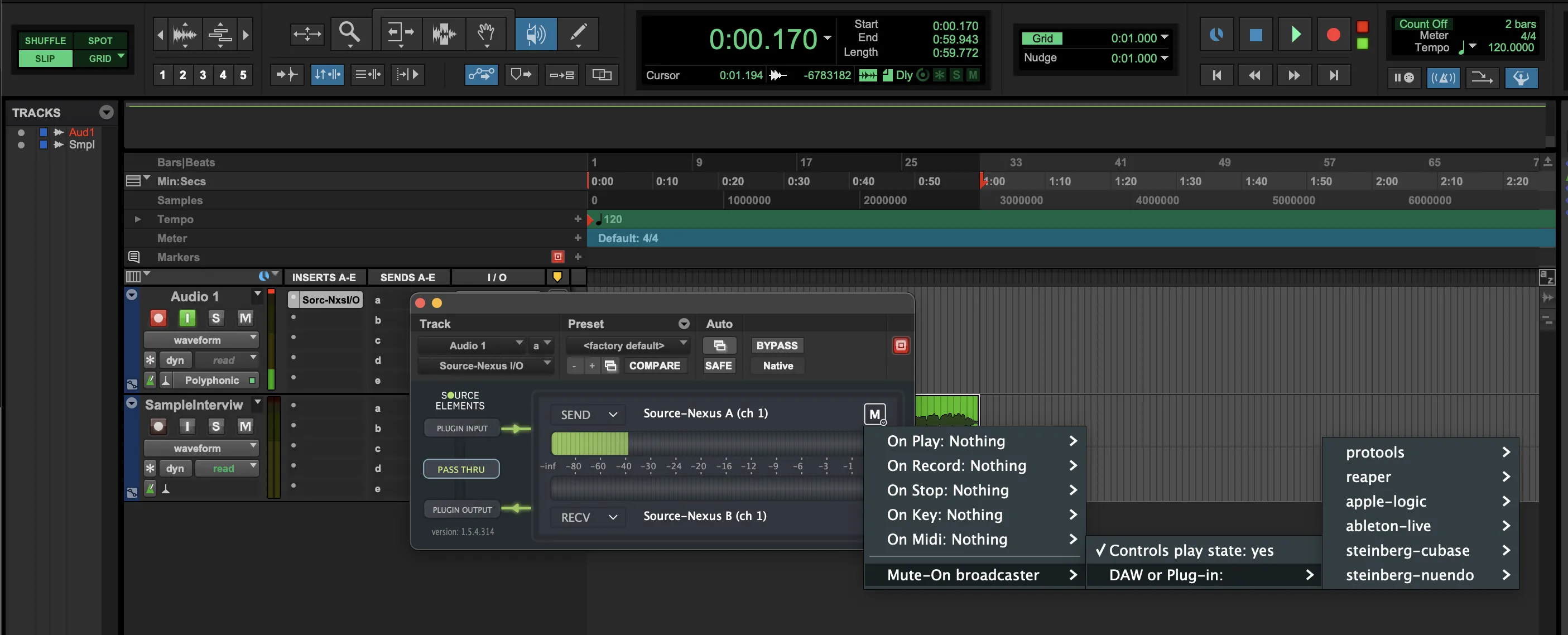
You can enable it under the Mute-On broadcaster > Controls playback state in the options menu for the Mute-On buttons on your application - clicking it will change the status from "no" to "yes". Then, in the "DAW or Plug-in", select the DAW you wish to listen to, or a specific instance of the Mute-On broadcaster, which will show in the list when available.
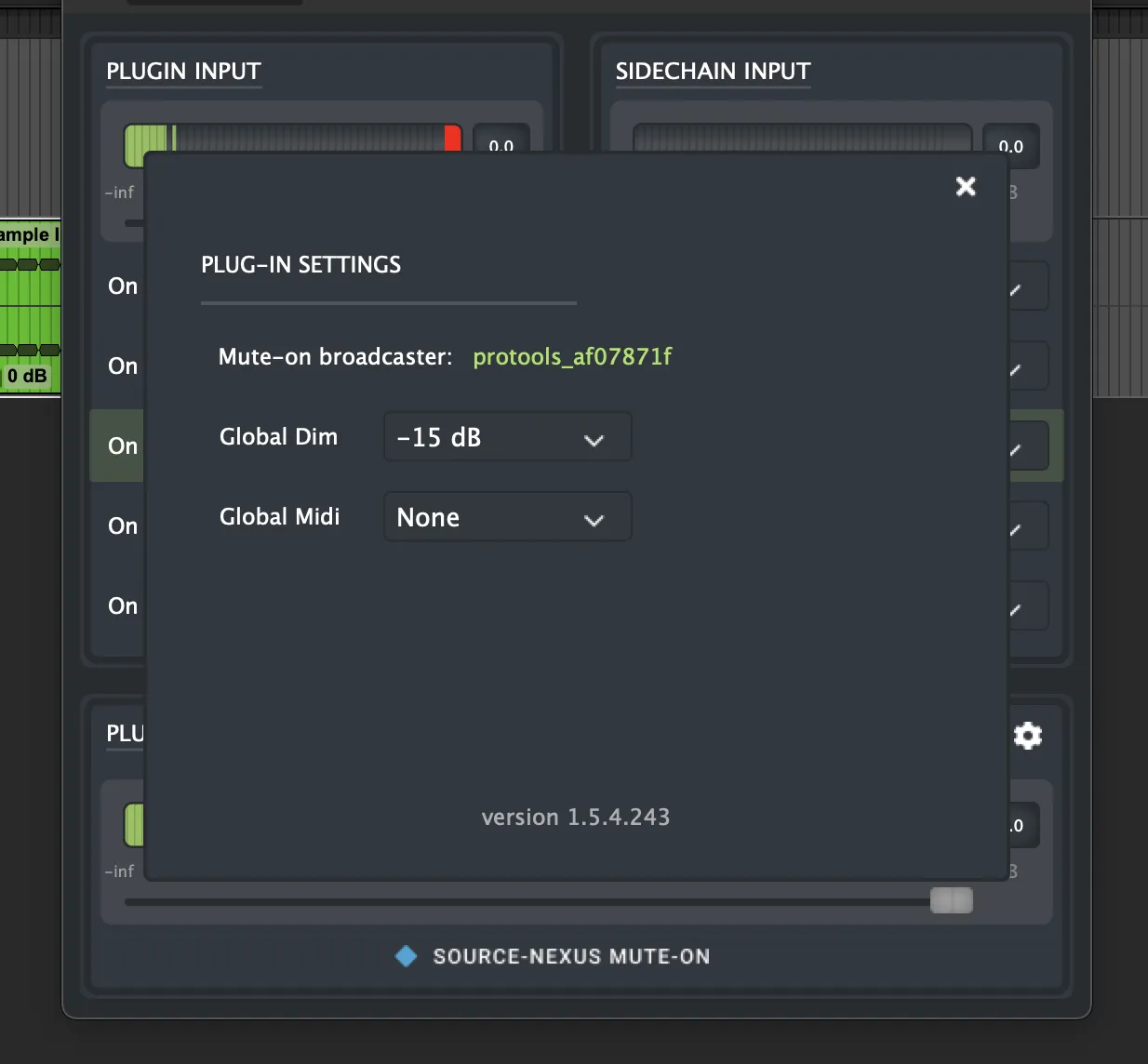
Whenever it is enabled, you will see a read-only indicator on your Source-Nexus Mute-On plugin settings menu:
Manually clicking the Mute-On button on your plugin (Source-Nexus I/O, Source-Nexus Router or Source-Nexus Review) will make it act as a normal mute button and overrides any options enabled.