
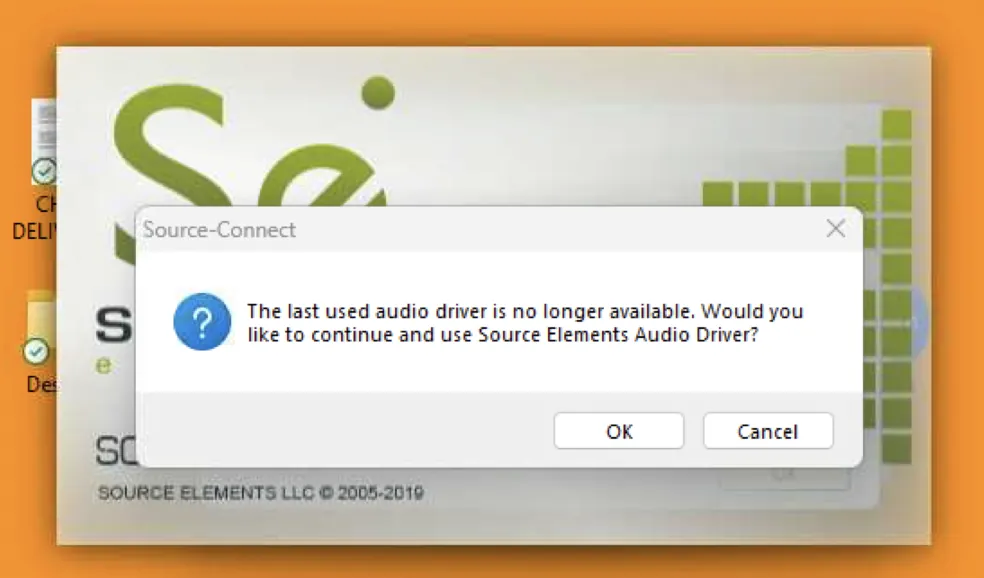
"The last used audio driver is no longer available" error message
This article is preserved for legacy use only for Source-Connect version 3. We recommend updating to Source-Connect 4
The last used audio driver is no longer available. Would you like to continue and use Source Elements Audio Driver?
Source-Connect Pro | 3.8 | Windows
Description
When users try to open up Source-Connect, they get the following error message:
Cause
There is a sound hardware conflict.
Actions
- Unplug all external sound hardware like interfaces, USB sound cards, microphones, web cameras, bluetooth devices, etc. This should make Source-Connect stop crashing.
-
Follow these steps:
- Make Window's default system audio the built-in sound card (Realtek, etc.)
- Plug-in the external audio hardware
- Launch Source-Connect
- Configure the Source Elements audio driver to use the user's external audio hardware.
-
Try installing Source-Nexus to use the virtual devices it installs
by default:
- Download Source-Nexus from the user dashboard.
- Uninstall Source-Connect.
- Reboot your computer and run the Source-Connect installer.
- Before launching Source-Connect again, make sure you set your Mac System Preferences Sound Settings to input “Source-Nexus A” and output “Source-Nexus B”.
- Open Source-Connect again.
- If none of the above works, create an aggregate device with “Source-Nexus A” as the input and “Source-Nexus B” as the output, and set that device on your Sound Settings.
If you continue to have issues, please contact the Support team.
Table of Contents