
Windows - User privileges insufficient to start a low-level driver
This article is preserved for legacy use only for Source-Connect version 3. We recommend updating to Source-Connect 4
User privileges insufficient to start a low-level driver
Source-Connect | All Versions | Windows
Description
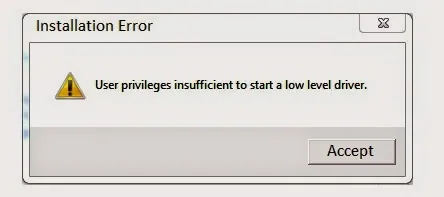
When launching Source-Connect you may get an error that says "User privileges insufficient to start a low-level driver".
Causes
Old iLok drivers are the most likely culprit.
Program won't start because of this error.
Actions
- Search for "Add or Remove Apps" in the search bar.
- Find all items with names such as:
- PACE License Support
- Interlok
- Click on the option to uninstall them.
- Restart your computer.
- Download the latest iLok Licence Manager installer from ilok.com and run it.
- Restart your computer.
Table of Contents