
No audio getting in from microphone to Source-Connect on Mac
This article is preserved for legacy use only for Source-Connect version 3. We recommend updating to Source-Connect 4
No audio getting in from the microphone to Source-Connect when using the application on a Mac.
Source-Connect | All Versions | Mac
Cause
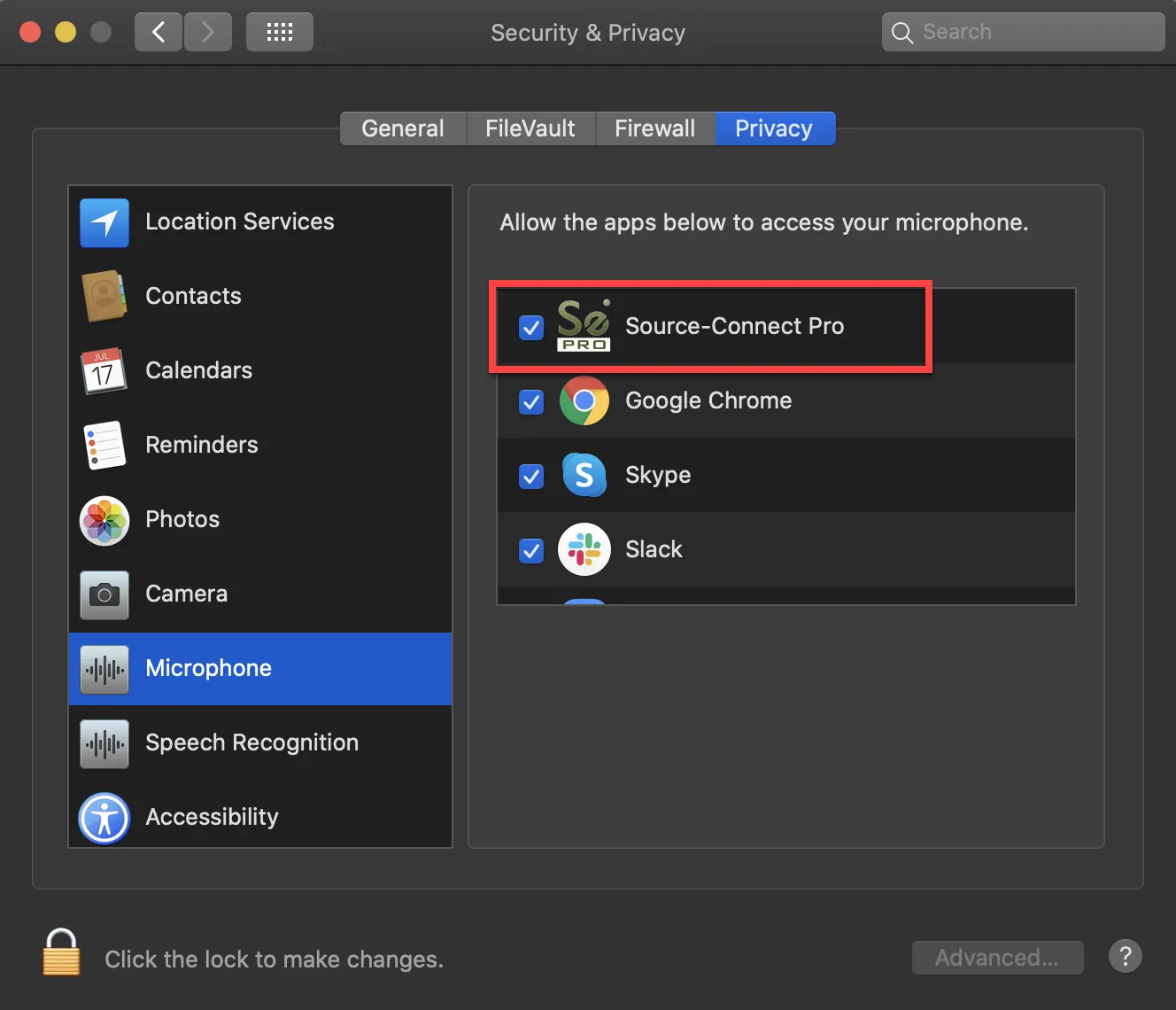
Source-Connect has no microphone permissions.
Actions
In order to fix this:
- Go to Preferences > Security and Privacy > Privacy
- Go to the Microphone section
- Make sure the box next to Source-Connect is checked.
Related Topics
Table of Contents