
Setting Session Parameters in Source-Connect Studio/Facility 4 - Buffer
By default, Source-Connect uses an adaptive buffer. The value you select is the starting buffer size; the buffer can grow automatically when network conditions worsen to help avoid audible dropouts. A higher starting value increases the possibility of avoiding audible packet loss, but also increases communication delay. If you are on a T1 or higher connection (both remote plug-ins), reducing the buffer size may offer lower delay with the same quality experience. If you or your remote connection are on cable or DSL, a higher buffer is recommended.
Enable Fixed Buffer to keep the buffer at the selected value. With Fixed Buffer enabled, the buffer will not grow automatically to compensate for poor network conditions.
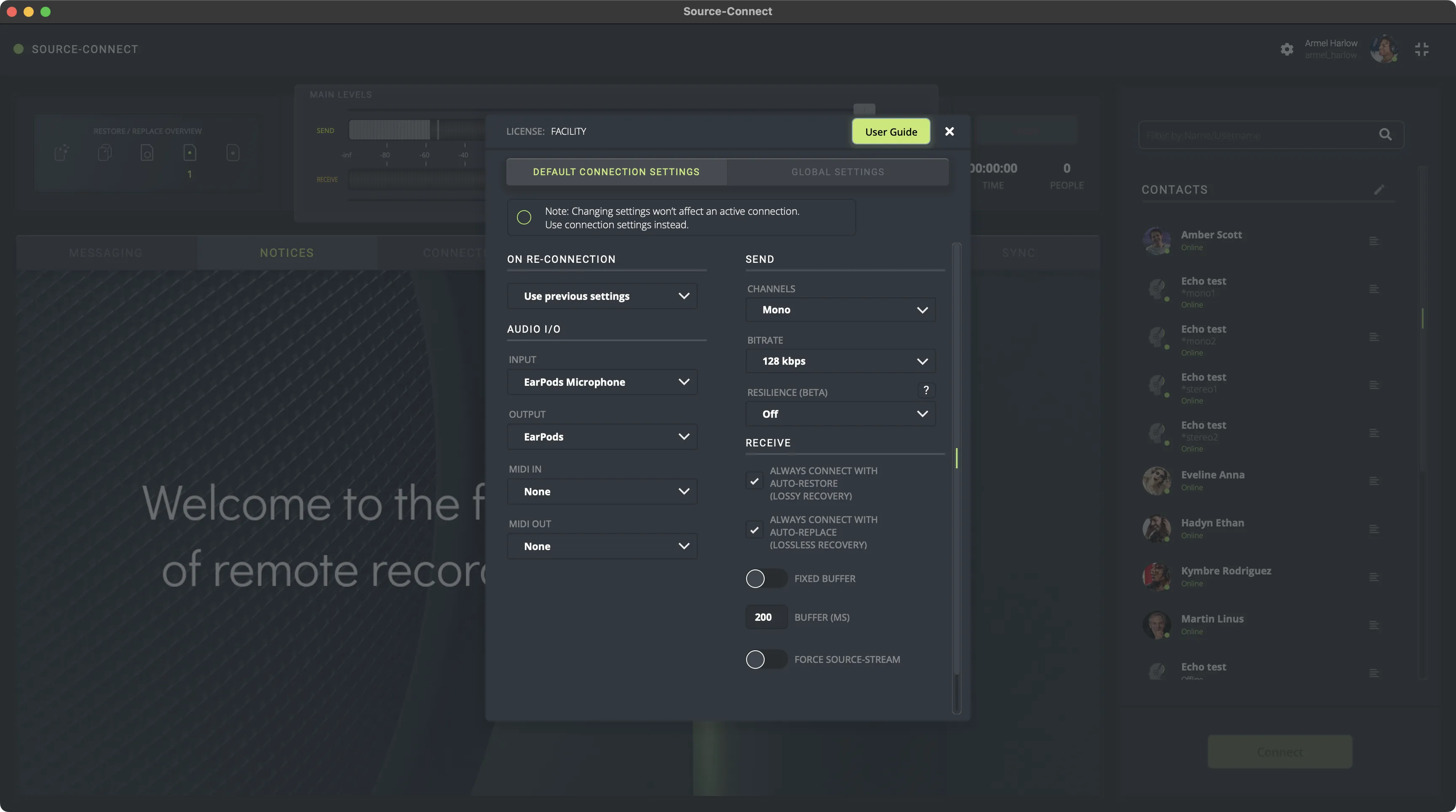
A value of at least 200ms is recommended, as values lower than this disable additional recovery algorithms designed to avoid packet loss.
Additionally, the ideal setting for our recovery algorithms to work is to set the buffer to at least double the ping time between you and your connected user. If your latency increases too much you can set a higher buffer on the side of the connection that needs to receive the highest quality stream.