
US EN
ES ES
  • Source Elements logo
  • Centro de Soporte
  • Guías de Inicio
  • Ver Sitio Web
  • Centro de Documentación
  • Guías de Inicio
  • Tienda
  • Prueba Gratis
ES
US EN
ES ES
  • Home
  • Artículos instructivos

Cómo configurar ReWire en Reaper

  • Artículos instructivos

    load search results here
if no results found => show contact form

We couldn't find any results for your search. Try using different keywords or check the spelling of your search terms.

This article contains instructions on how to set up ReWire on Reaper. Please note that ReWire is only supported in Source-Connect 3.
  1. En Reaper , crea una nueva pista de audio yendo a Pista > Insertar nueva pista.
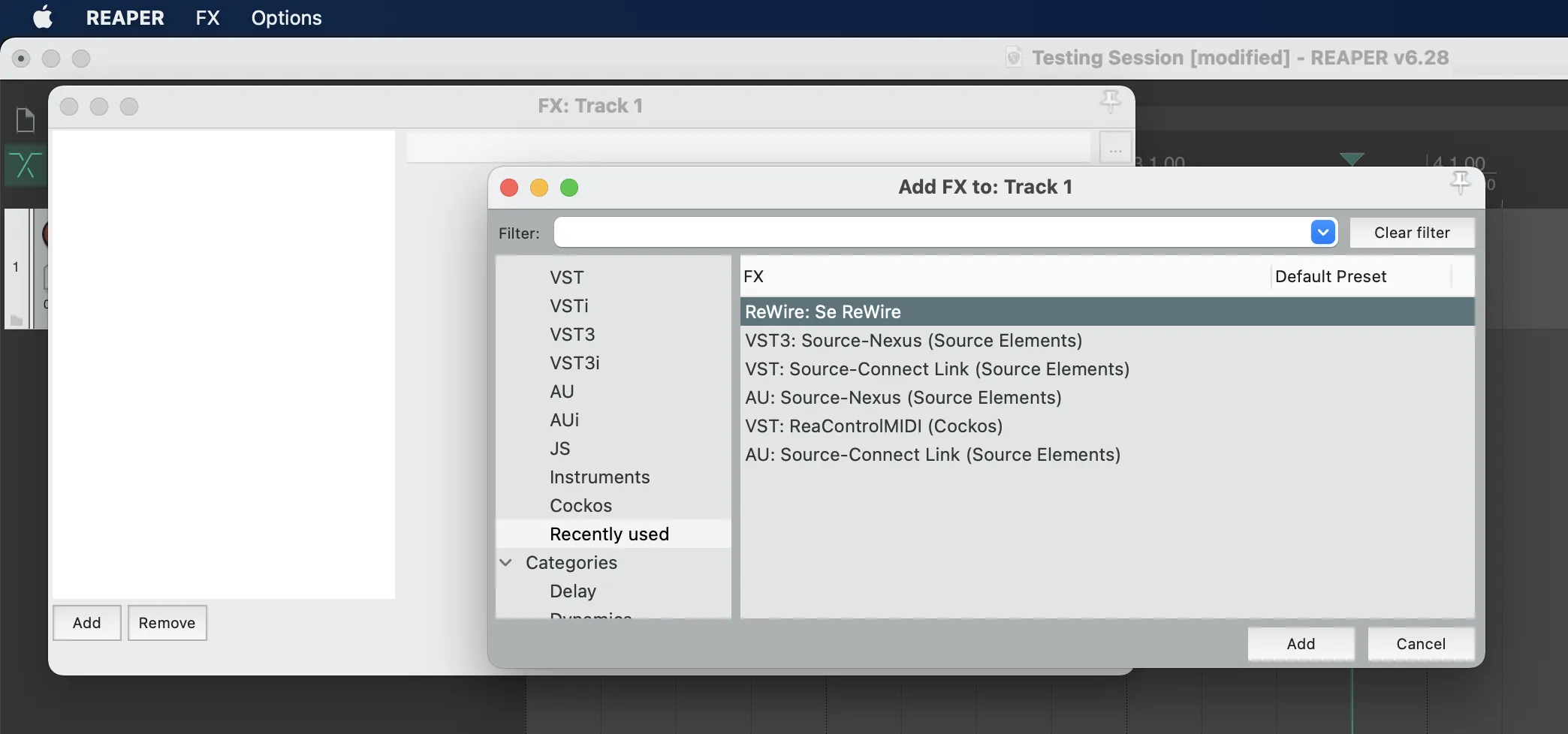
  2. En la nueva pista, haga clic en FX y seleccione ReWire: Se Rewire. Reaper_SeRewire
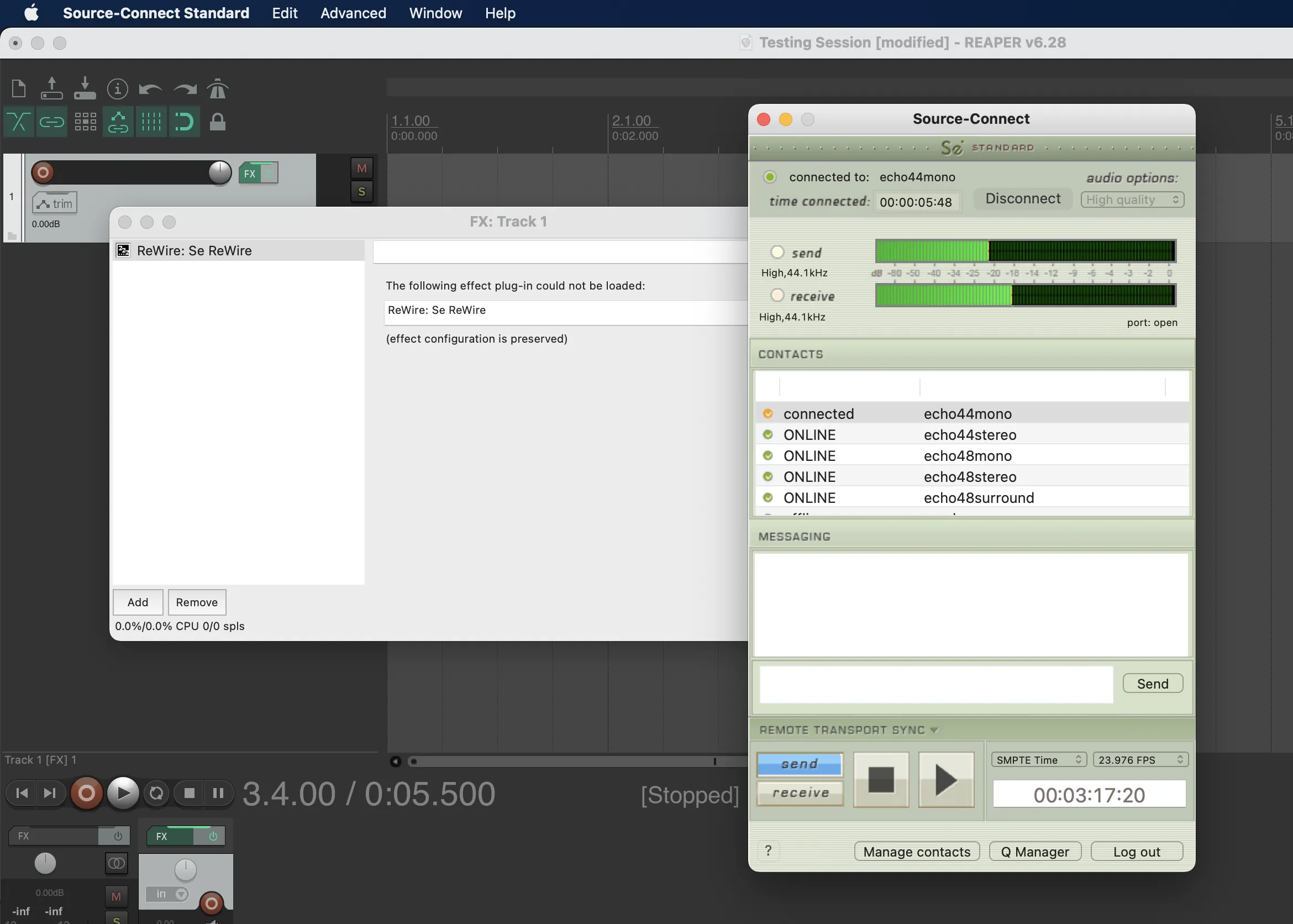
  3. Ahora puede seleccionar Enviar o Recibir en Source-Connect . SourceConnect39_ReWire
Expand